
Block 模块设置
概述
Block 模块,是指网站前端各位置对应的内容区块。
如果您已经按照之前的说明文档成功部署了 Carto 电商管理系统和前端,并在 Cloudflare 完成了域名解析,那么您可以在域名路径后缀中添加 /carto/blocks 查看所有区块的说明文档。
示例
本文档演示域名为:https://www.shetap.com/
对应的 Block 文档地址:https://www.shetap.com/carto/blocks
Header 区块

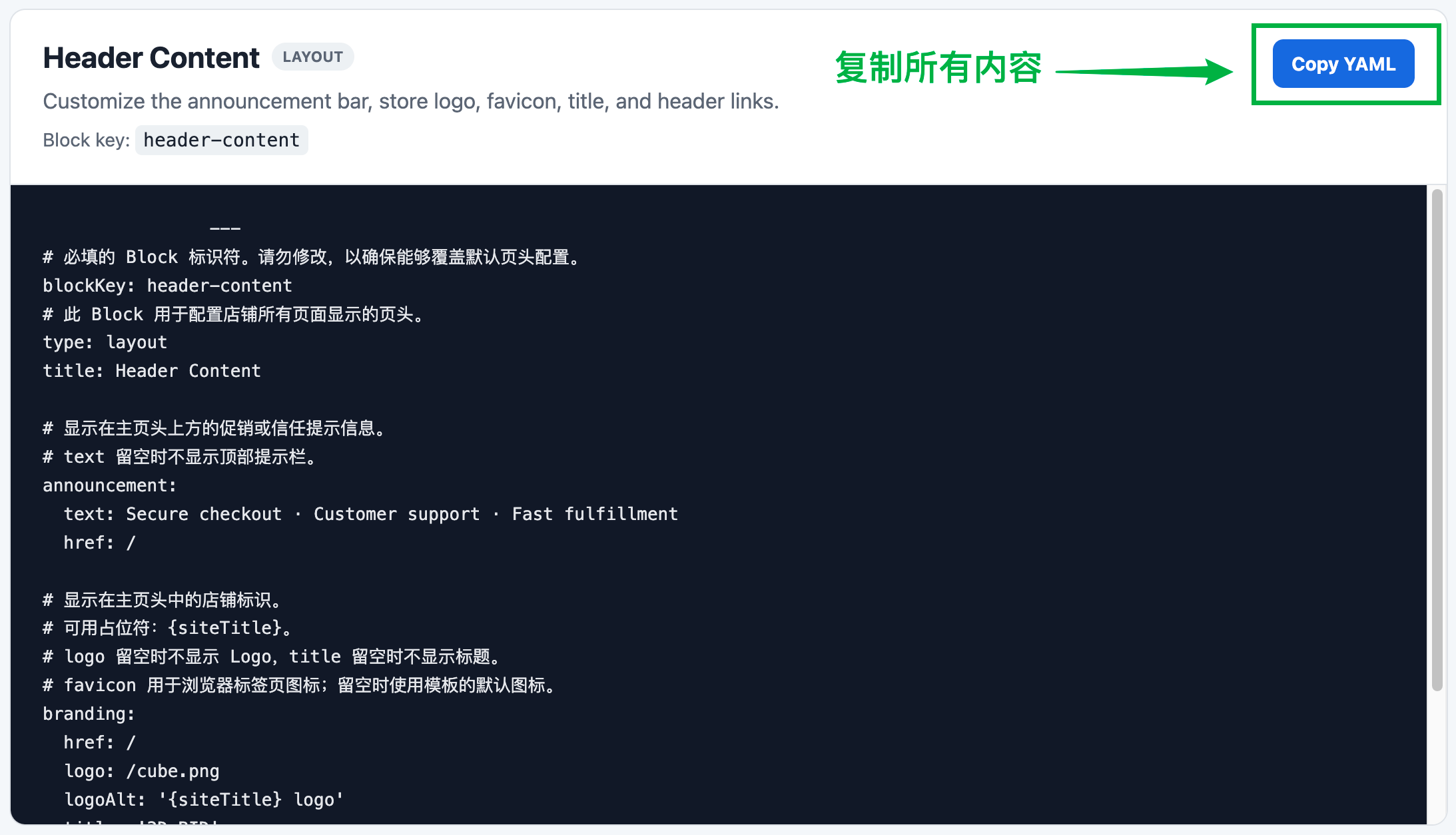
在 /carto/blocks 页面中找到 Header 的内容,全部复制:
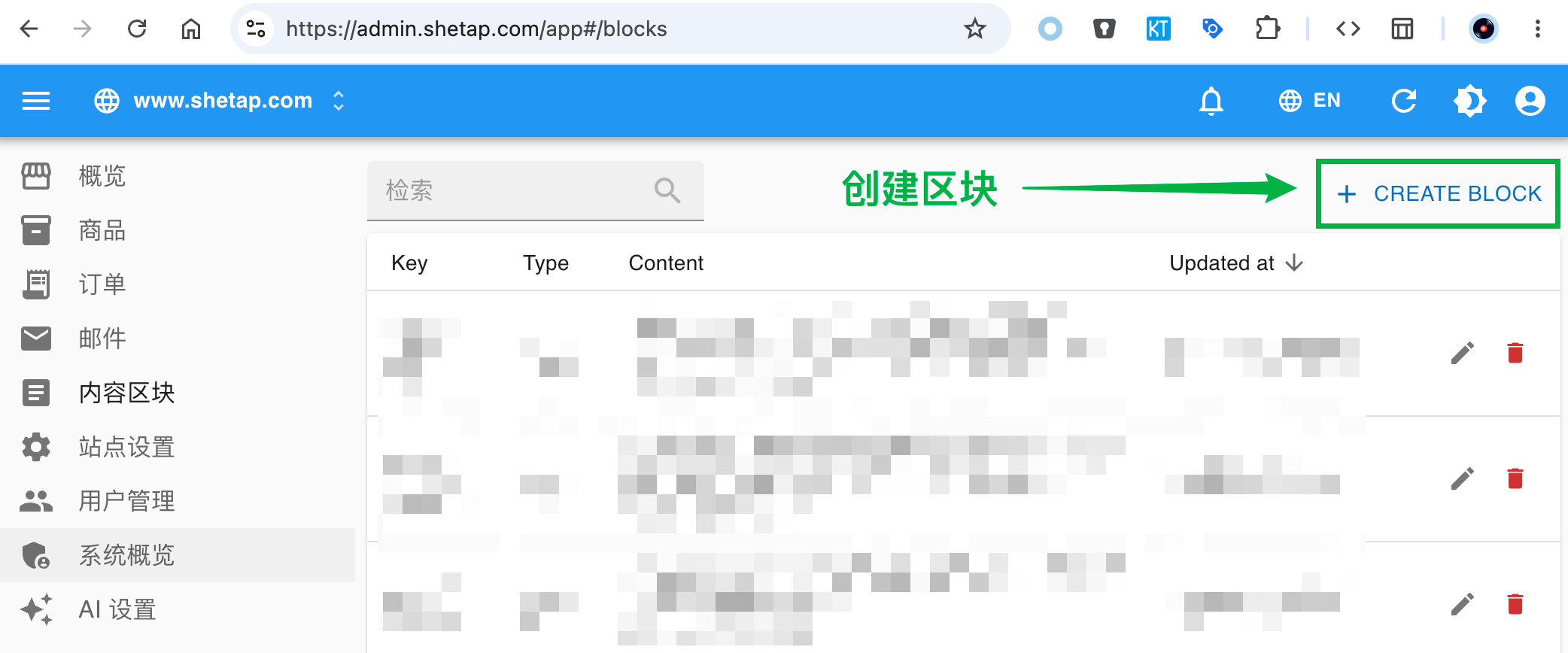
在网站管理系统中创建区块:
清空系统生成的默认 Block 代码,然后将复制的代码粘贴到区块中:
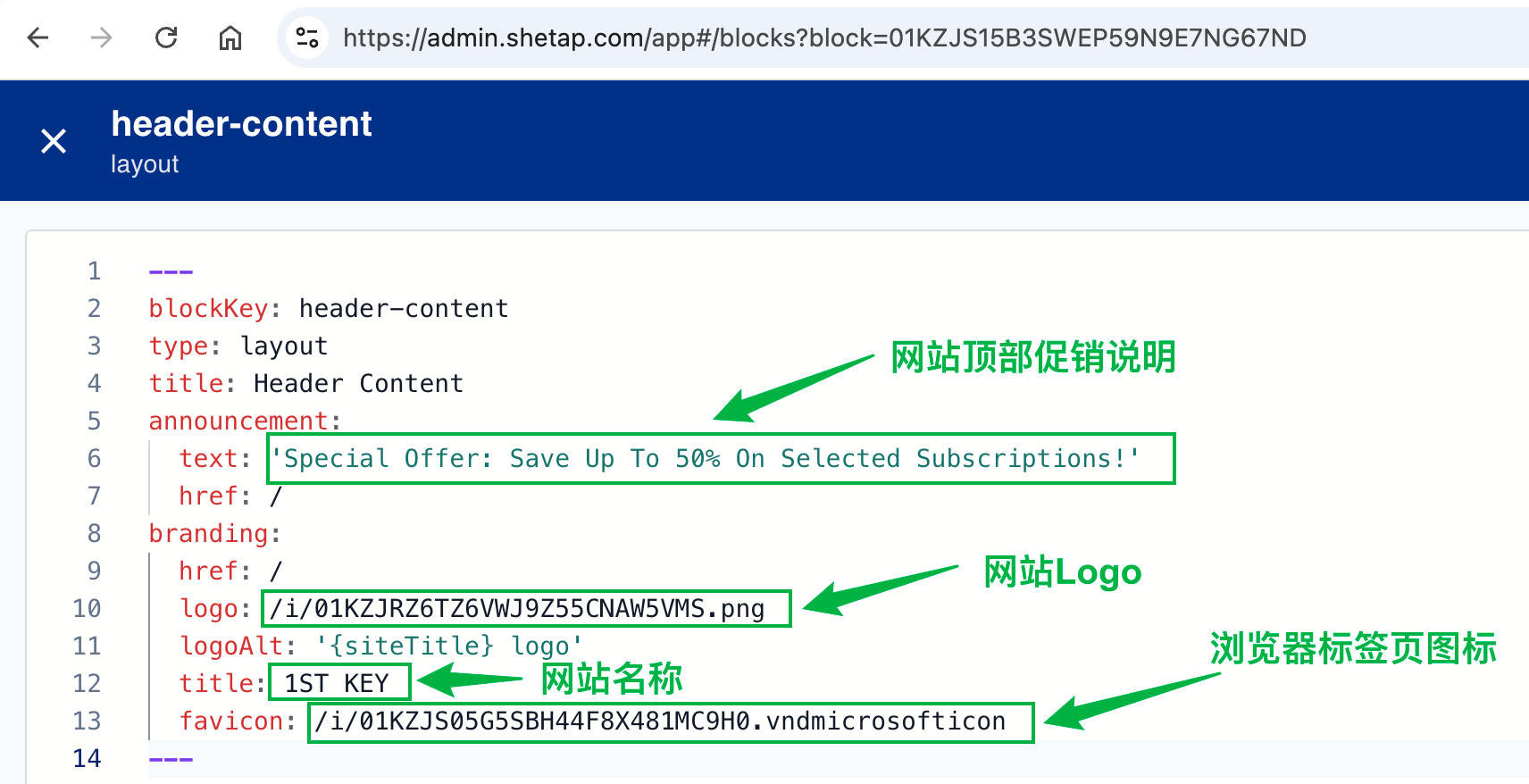
图片插入方式
以上方 Block 中插入 Logo 图片为例:
步骤
在你的 PC 中选中一张图片,按下复制快捷键:
- Windows:选中图片后按
Ctrl + C - macOS:选中图片后按
Command + C
yamlbranding: href: / logo: /- Windows:选中图片后按
将光标停留在
logo:后面,按下粘贴快捷键:- Windows:
Ctrl + V - macOS:
Command + V
- Windows:
系统会自动上传图片并生成对应的图片链接:
branding:
  href: /
logo: /i/01KZJRZ6TZ6VWJ9Z55CNAW5VMS.png引号的使用
当保存代码时,如果系统提示"格式不正确",那么多半是因为句子中含有特殊符号。
以下方代码为例:
title: Header Content
announcement:
  text: 'Special Offer: Save Up To 50% On Selected Subscriptions!'
  href: /
假设你想编辑的内容为:
Special Offer: Save Up To 50% On Selected Subscriptions!句子中包含特殊符号(如 , . ! : % ? ' 等),此时需要用英文单引号 '' 将句子括起来,修改后的正确写法:
text: 'Special Offer: Save Up To 50% On Selected Subscriptions!'保存 & 刷新
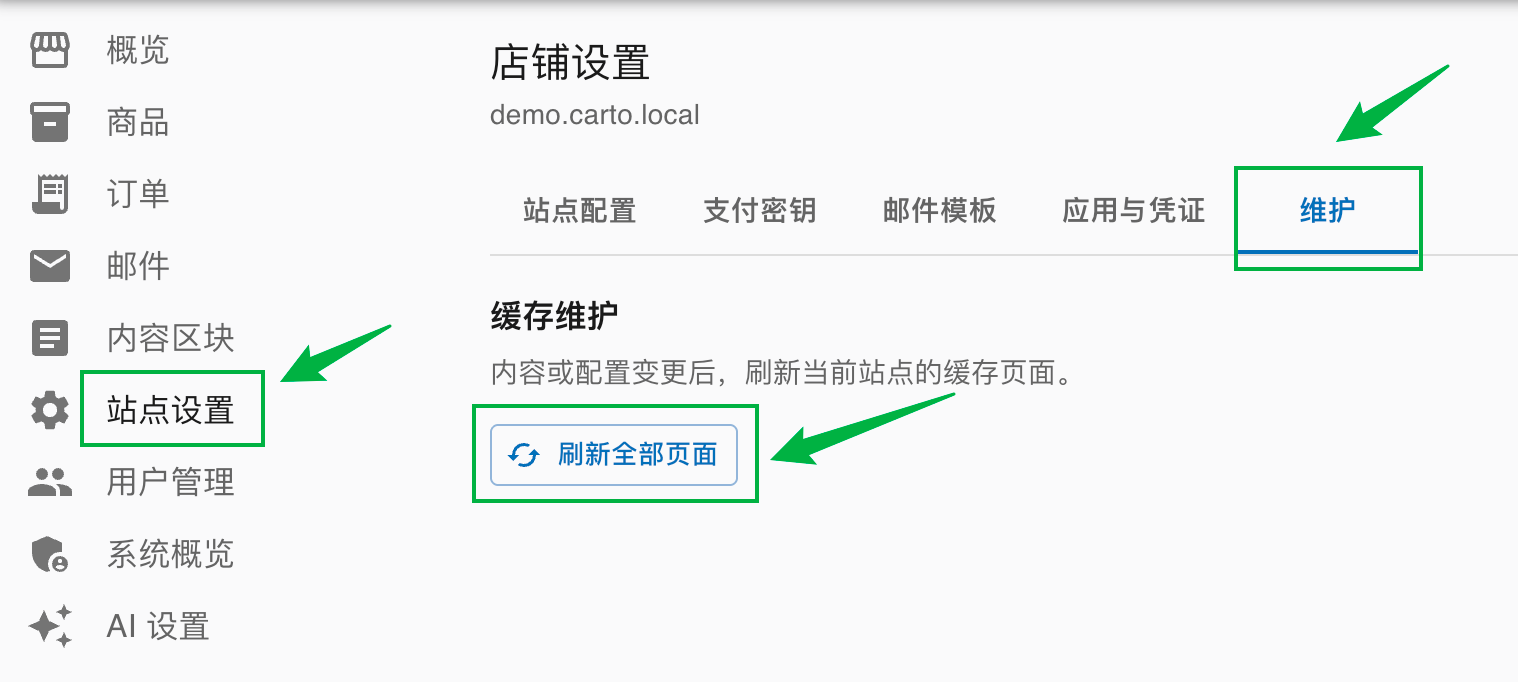
内容更新完成后,点击编辑器右上角的 保存 按钮。然后进入 站点设置 → 维护 → 刷新全部页面:
其他区块
Home Content — 主页幻灯片和分类结构
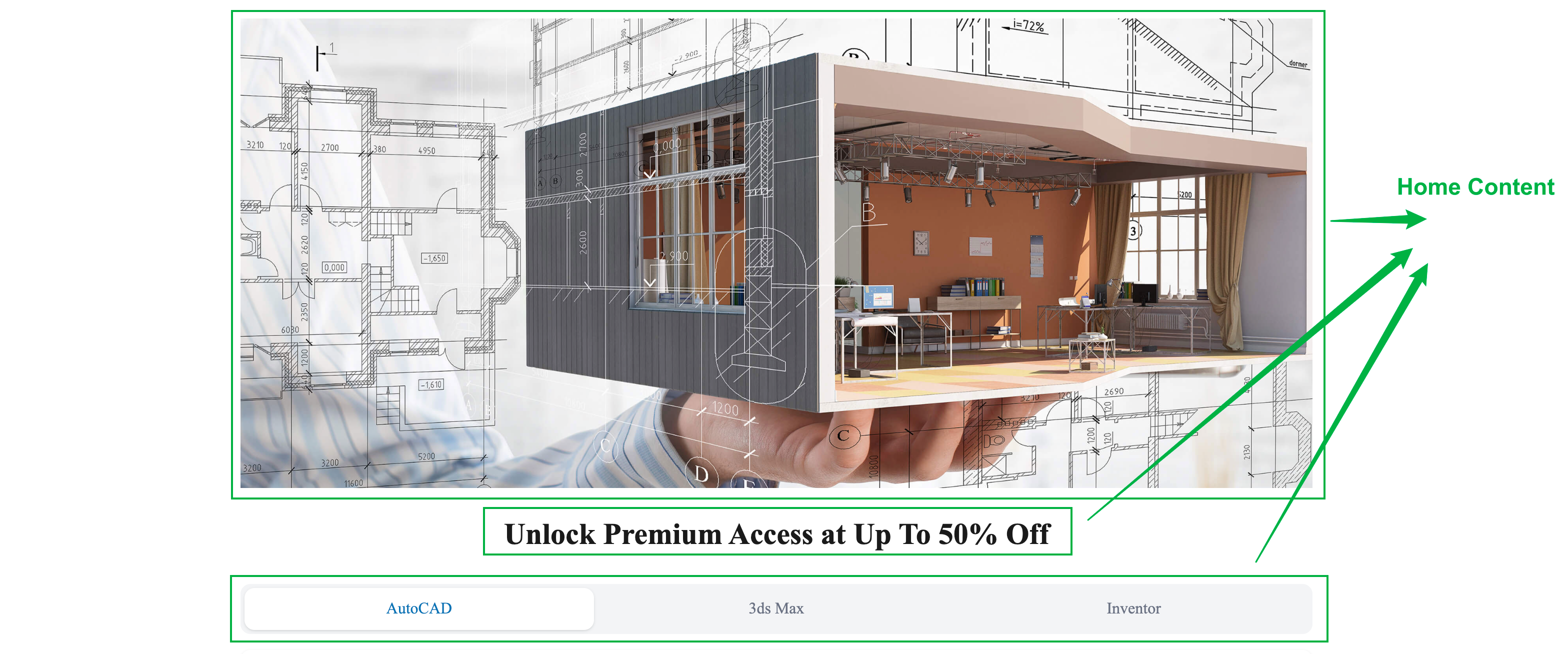
注意:主页下方的 FAQ 模块也包含在 Home Content 区块中。
Footer Content — 网站底部的版权信息和子页面链接
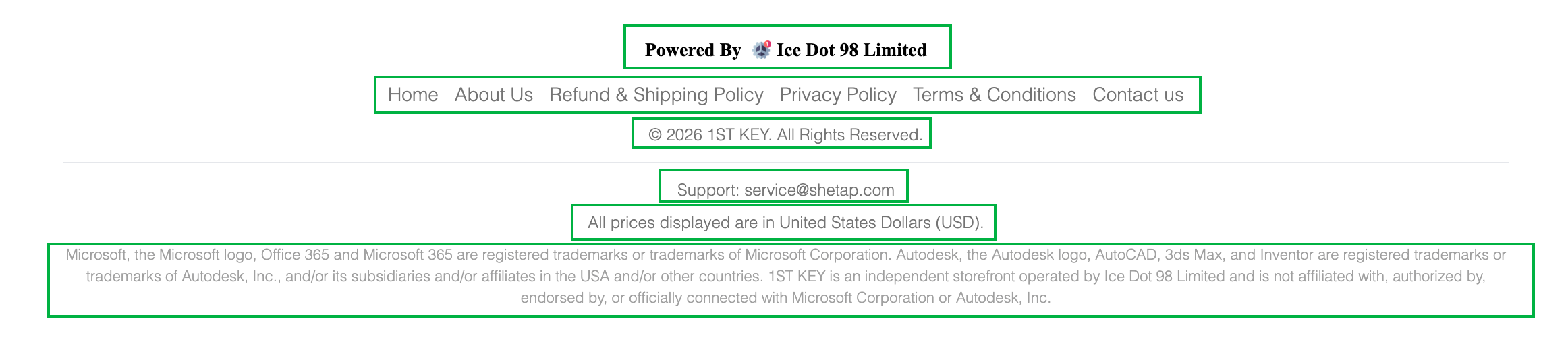
以上区块都可以在 /carto/blocks 路径中找到对应的说明,复制源格式并粘贴到管理后台,再根据自己的需求修改即可。
Checkout 页面 — 销售国家设置
Checkout Content 决定了访客在结算时是否可以选择所在的国家/地区。
默认仅支持以下 4 个国家,客户可选择所在的州:
countries:
  - code: US
    name: United States
  - code: CA
    name: Canada
  - code: GB
    name: United Kingdom
  - code: AU
    name: Australia
如果你的销售区域是其他国家,需要添加该 Block 并列出该国下的州/省/地区。
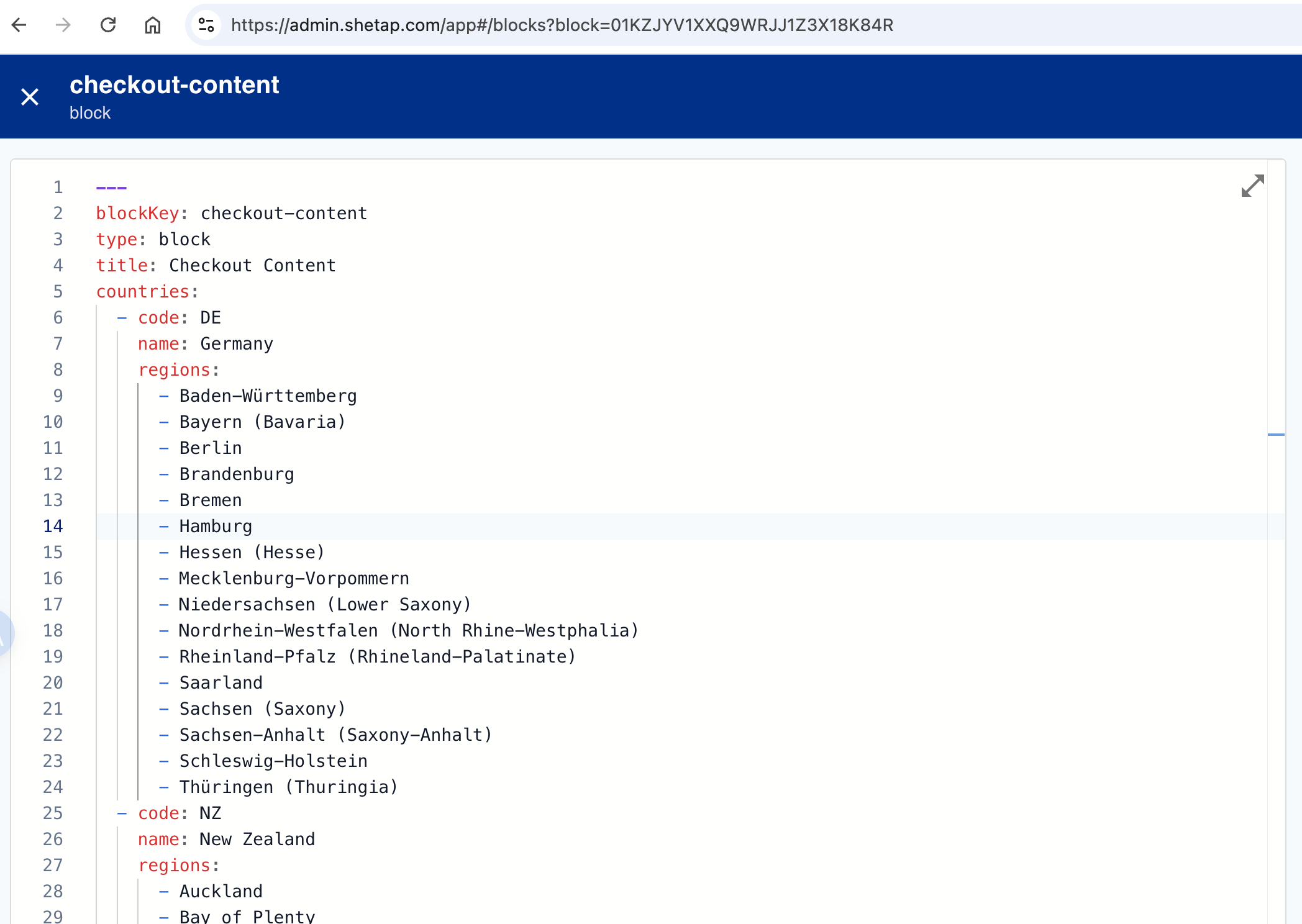
示例:将销售国家更换为德国和新西兰
countries:
  - code: DE
    name: Germany
    regions:
      - Baden-Württemberg
      - Bayern (Bavaria)
      - Berlin
      - Brandenburg
      - Bremen
      - Hamburg
      - Hessen (Hesse)
      - Mecklenburg-Vorpommern
      - Niedersachsen (Lower Saxony)
      - Nordrhein-Westfalen (North Rhine-Westphalia)
      - Rheinland-Pfalz (Rhineland-Palatinate)
      - Saarland
      - Sachsen (Saxony)
      - Sachsen-Anhalt (Saxony-Anhalt)
      - Schleswig-Holstein
      - Thüringen (Thuringia)
  - code: NZ
    name: New Zealand
    regions:
      - Auckland
      - Bay of Plenty
      - Canterbury
      - Gisborne
      - Hawke's Bay
      - Manawatū-Whanganui
      - Marlborough
      - Nelson
      - Northland
      - Otago
      - Southland
      - Taranaki
      - Tasman
      - Waikato
      - Wellington
      - West Coast
代码完成后结构如下:
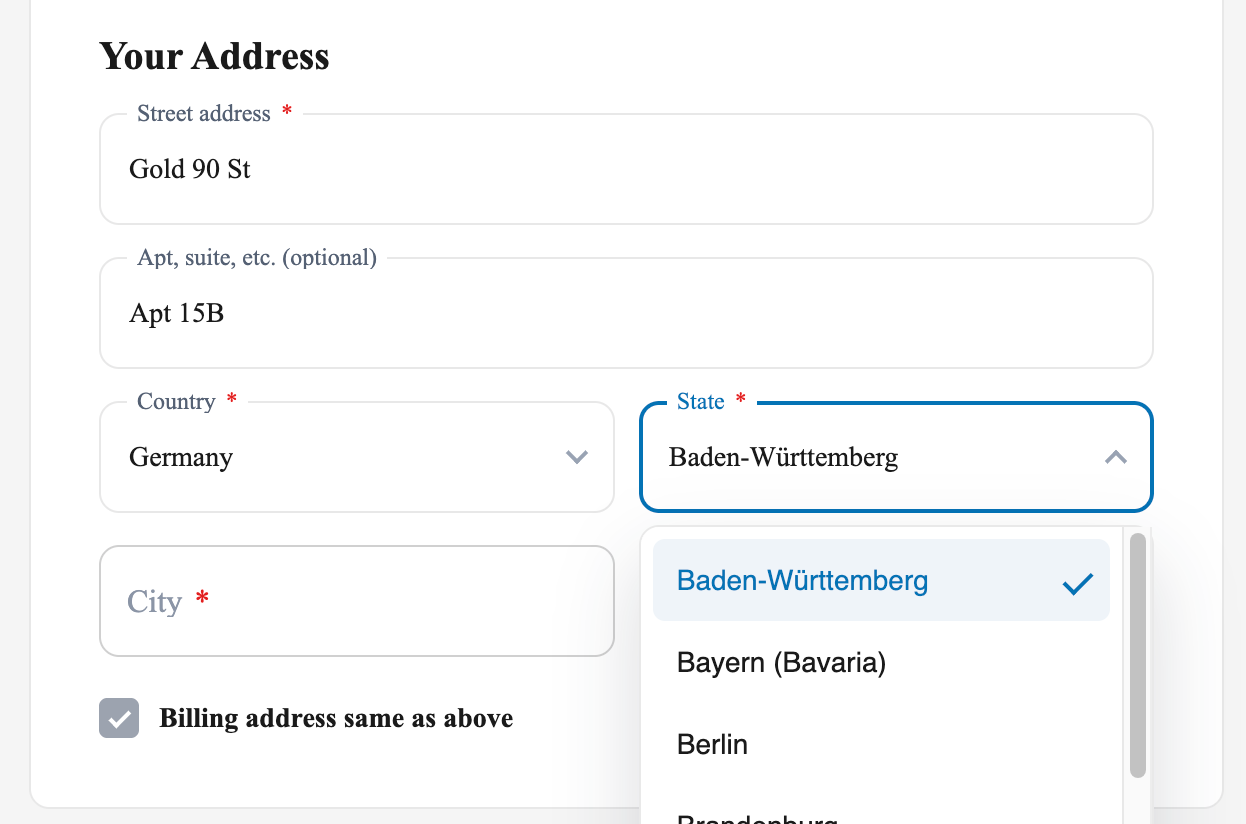
保存 → 站点设置 → 维护 → 刷新全部页面 后,付款页面即可看到新增的国家选项:
子页面设置
在 /carto/blocks 路径下可以找到 About Us、Refund & Shipping Policy、Privacy Policy、Terms & Conditions、Contact Us 等子页面对应的模块。
以下以 About Us 为例:
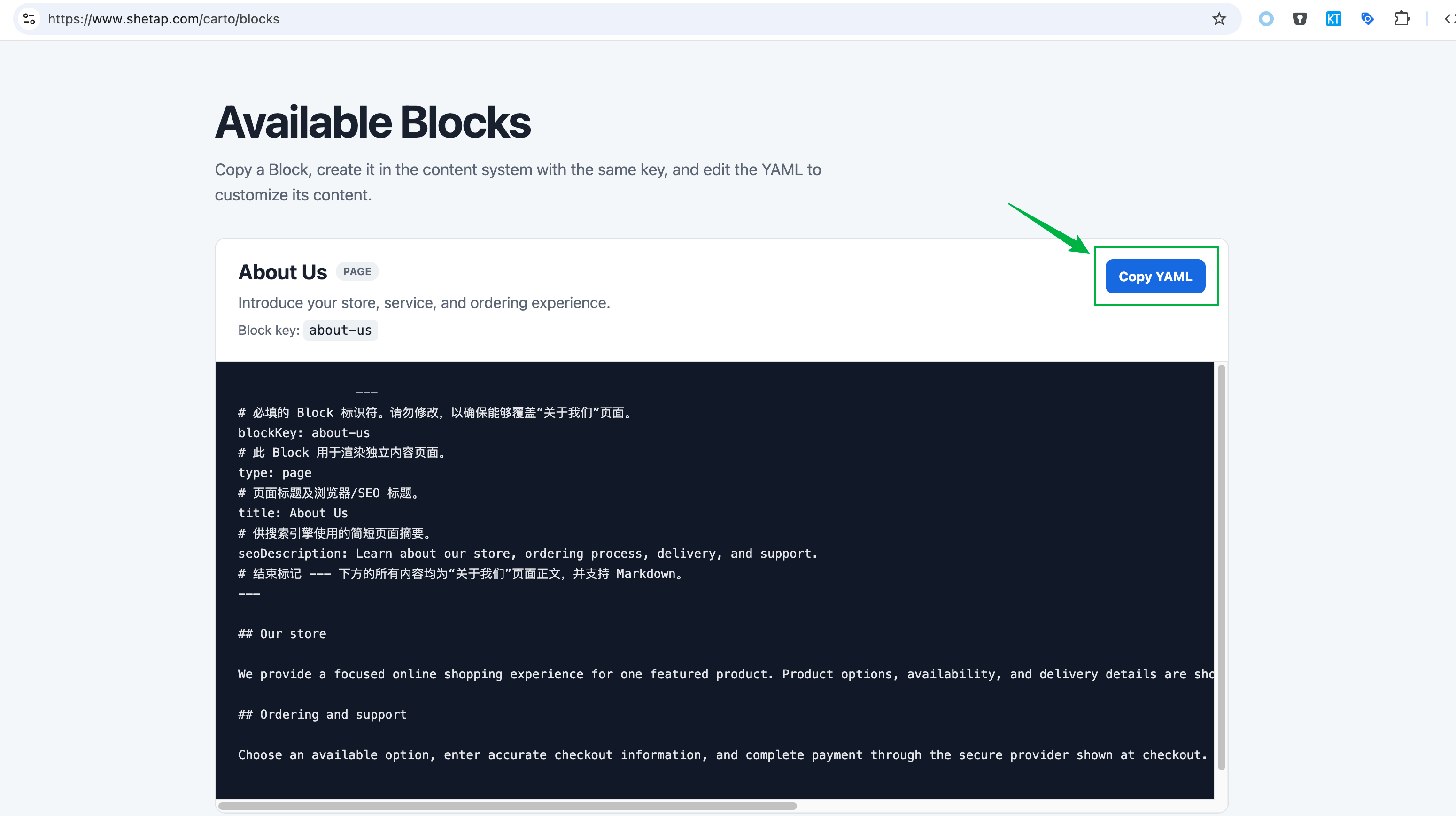
- 复制区块代码
- 创建新的内容区块
- 粘贴并修改内容
以 shetap.com 为例,修改后的完整 About Us 区块代码如下:
---
blockKey: about-us
type: page
title: About Us
seoDescription: Learn about our store, ordering process, delivery, and support.
---

What This Product Is
The 1ST KEY software subscription page is designed for customers who need digital access for computer software work, including word, excel, 2D drafting, 3D design, technical documentation, architecture, engineering, construction planning, and mechanical layout workflows.

### Company Information

1ST KEY is operated by Ice Dot 98 Limited.

Ice Dot 98 Limited registered office in the state of Delaware 34 Munro Rd, in the city of Newark, zip code 19711.

Tax ID: 61-2180791

Country: United States

Customer service email: service@1st-key.com

Customer service phone: +1(302)215-1913

### Who It Is For

The 1ST KEY online shop is commonly used by designers, architects, engineers, contractors, drafters, students, freelancers, and small teams that need professional drawing and documentation tools.

### How Checkout Works

Review the product information, choose the available subscription option that fits your project, enter accurate checkout information, and complete payment through the secure payment provider shown at checkout.

### Digital Delivery

Software subscription orders are delivered digitally after payment confirmation and order review. Delivery details, activation information, license instructions, or redemption instructions are sent to the email address used at checkout.

### Before You Buy

Check the selected license option, compatibility needs, system requirements, regional requirements, and account requirements before completing payment. If a detail is unclear, contact support before placing the order.

### Support Scope

Support is available for order questions, payment confirmation, delivery updates, policy questions, and refund reviews. For the fastest response, contact us with your order number and checkout email address.
区块编辑保存后,进入 站点设置 → 维护 → 刷新全部页面,网站的对应子页面即生效。